



Best Workstations for University Students, CAD & Creative Software
Whether you're working on a university project, designing a building, creating 3D models, editing video, or running professional CAD software, the right workstation can make a major difference to your workflow.
Unlike a typical office PC, a professional workstation is built around the CPU, GPU, RAM, storage, and cooling requirements of demanding applications. The ideal configuration depends less on how much you spend and more on what software you use.
For university students, professionals, freelancers, designers, engineers, architects, and creators, Vektra offers workstation configurations designed around specific workloads.
Let's look at which type of workstation makes sense for different projects and applications.
What Makes a Good Workstation?
A powerful workstation isn't simply a gaming PC with a different name. Different professional applications place different demands on your hardware.
CPU
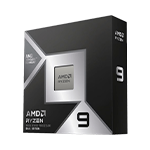
The processor handles calculations, simulations, multitasking, compiling, and many application-specific workloads. Applications such as CAD, rendering, video editing, and 3D software can benefit from strong CPU performance and additional cores.
GPU
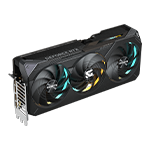
The graphics card becomes particularly important for 3D visualization, rendering, animation, AI workloads, and GPU-accelerated creative applications.
RAM
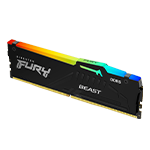
Large projects can quickly consume system memory. 32GB RAM is a strong starting point for many professional workloads, while heavier projects may benefit from even more.
SSD Storage
A fast NVMe SSD helps applications, project files, assets, and operating systems load quickly. For users working with large video, CAD, or 3D files, additional storage can also become important.
The key is to match your workstation to your actual workflow.
Best Workstation for AutoCAD & SolidWorks
For 2D drafting, mechanical design, product development, and engineering projects, you don't necessarily need the most powerful workstation available.
Vektra's Drafting & Modeling Workstation for AutoCAD 2D and SolidWorks is designed around these workloads.
Hardware:
-
CPU: Intel Core Ultra 5 250K Plus — 18 cores, 18 threads
-
GPU: NVIDIA RTX 2000 16GB Ada Generation
-
RAM: 16GB Kingston DDR5 5600MHz
-
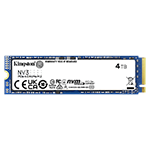
SSD: 1TB Kingston NV3 PCIe 4.0 NVMe
-
Motherboard: ASRock B860M-X WiFi
-
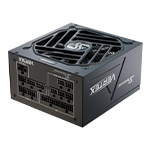
PSU: Seasonic G12 GC-650 80+ Gold
The dedicated professional GPU makes this configuration particularly suitable for CAD-focused workflows where viewport performance and professional graphics support matter.
View the Drafting & Modeling Workstation
Best Workstation for Revit, BIM & SketchUp
Architecture and construction workflows can involve much more than basic 2D drawings. Revit models, BIM coordination, SketchUp scenes, textures, and visualization can place significantly greater demands on your PC.
Vektra's Architectural Modeling & BIM Workstation combines an AMD Ryzen 7 9700X with an RTX 5060 Ti 16GB and 32GB DDR5 memory.
Hardware:
-
CPU: AMD Ryzen 7 9700X — 8 cores, 16 threads
-
GPU: Inno3D GeForce RTX 5060 Ti 16GB Twin X2
-
RAM: 32GB Kingston DDR5 6000MT/s CL36
-
SSD: 1TB Kingston NV3 PCIe 4.0 NVMe
-
Motherboard: ASRock B650M PG Lightning WiFi
-
PSU: Seasonic G12 GC-650 80+ Gold
This makes it a strong choice for Revit, SketchUp, BIM projects, architectural visualization, and general design work.
View the Architectural Modeling & BIM Workstation
Best Workstation for CAD, Fusion 360 & 3D Visualization
If your projects combine CAD with real-time visualization and rendering, GPU performance becomes increasingly important.
Vektra's 3D Modeling & Rendering Workstation is designed for workflows involving AutoCAD, Fusion 360, Lumion, and Enscape.
Hardware:
-
CPU: AMD Ryzen 7 7800X3D — 8 cores, 16 threads
-
GPU: Inno3D GeForce RTX 5070 Ti 16GB X3
-
RAM: 32GB Kingston DDR5 6000MT/s CL36
-
SSD: 1TB Kingston NV3 PCIe 4.0 NVMe
-
PSU: Seasonic G12 GC-750 80+ Gold
With a high-performance RTX 5070 Ti and 32GB of DDR5 memory, this configuration is aimed at users who need both CAD responsiveness and stronger 3D visualization performance.
View the 3D Modeling & Rendering Workstation
Best Workstation for Maya, Blender & Unity
For 3D animation, game development, rendering, simulations, and complex scenes, having a powerful CPU and GPU can significantly improve the experience.
Vektra's 3D Animation & Rendering Workstation features an Intel Core Ultra 7 265KF and RTX 5070 Ti 16GB.
Hardware:
-
CPU: Intel Core Ultra 7 265KF — 20 cores, 20 threads
-
GPU: Inno3D GeForce RTX 5070 Ti 16GB X3
-
RAM: 32GB Kingston DDR5 6000MT/s CL36
-
SSD: 1TB Kingston NV3 PCIe 4.0 NVMe
-
Motherboard: ASRock Z890 Pro RS WiFi
-
Cooling: DeepCool LE360 V2 AIO
It's designed for Maya, Blender, Unity, animation, 3D modeling, rendering, and real-time workflows.
View the 3D Animation & Rendering Workstation
Best Workstation for Photoshop & Illustrator
Not every creative workflow requires an extremely expensive workstation.
For graphic design, photography, image editing, and illustration, Vektra's Image Editing & Design Workstation provides a balanced configuration.
Hardware:
-
CPU: AMD Ryzen 5 7500F — 6 cores, 12 threads
-
GPU: ZOTAC GeForce RTX 3050 8GB ECO
-
RAM: 32GB Kingston DDR5 5600T/s
-
SSD: 1TB Kingston NV3 PCIe 4.0 NVMe
-
Motherboard: ASRock B650M PG Lightning WiFi
-
PSU: Seasonic G12 GC-650 80+ Gold
The 32GB memory configuration is particularly useful for large Photoshop projects, layered files, high-resolution images, and multitasking between creative applications.
View the Photoshop & Illustrator Workstation
Best Workstation for Video Editing
Video editing workloads can benefit from a combination of CPU performance, GPU acceleration, memory, and fast storage.
Vektra's Video Editing Workstation is designed for Adobe Premiere Pro and DaVinci Resolve.
Hardware:
-
CPU: Intel Core Ultra 5 250K Plus — 18 cores, 18 threads
-
GPU: Inno3D GeForce RTX 5060 8GB
-
RAM: 32GB Kingston DDR5 6000MT/s CL36
-
SSD: 1TB Kingston NV3 PCIe 4.0 NVMe
-
Motherboard: ASRock B860M-X WiFi
-
PSU: Seasonic G12 GC-650 80+ Gold
For creators working with high-resolution footage, effects, color grading, and demanding timelines, this provides a capable foundation.
View the Video Editing Workstation
Best Workstation for AI Image & Video Processing
AI-powered creative tools are becoming increasingly important for photographers, video editors, and digital creators.
Vektra's Image & Video AI Workstation for Topaz Studio takes a much more GPU-focused approach.
Hardware:
-
CPU: Intel Core Ultra 5 250K Plus — 18 cores, 18 threads
-
GPU: Inno3D GeForce RTX 5080 16GB X3
-
RAM: 32GB Kingston DDR5 6000MT/s CL36
-
SSD: 1TB Kingston NV3 PCIe 4.0 NVMe
-
Motherboard: ASRock Z890 Pro RS WiFi
-
PSU: Seasonic CORE GC V2 850W 80+ Gold ATX 3.1
-
Cooling: DeepCool LE360 V2 AIO
The RTX 5080 gives this workstation considerably more GPU performance for demanding AI-assisted image and video workflows.
Which Workstation Should You Choose?
The best workstation isn't necessarily the one with the most powerful specifications. It is the one that matches your software and workload.
AutoCAD 2D & SolidWorks: Drafting & Modeling Workstation
Revit & SketchUp: Architectural Modeling & BIM Workstation
AutoCAD, Fusion 360, Lumion & Enscape: 3D Modeling & Rendering Workstation
Maya, Blender & Unity: 3D Animation & Rendering Workstation
Photoshop & Illustrator: Image Editing & Design Workstation
Premiere Pro & DaVinci Resolve: Video Editing Workstation
Topaz AI: Image & Video AI Workstation
Whether you're working on university projects, professional engineering work, architectural designs, creative projects, or AI-powered workflows, choosing hardware around your applications can give you better performance without spending money on components you don't need.
Explore Vektra Professional Workstations
Vektra offers purpose-built workstations for CAD, architecture, BIM, 3D modeling, animation, graphic design, video editing, and AI workloads.
Explore Vektra Professional Workstations
Choose your software first, identify the workload, and then select the workstation that fits it. That's the simplest way to build a PC that works as hard as you do.