
Sim racing has evolved far beyond casual racing games. Modern titles like Assetto Corsa EVO, iRacing, Forza Horizon 6, F1 26, and Le Mans Ultimate now demand serious hardware for smooth, immersive gameplay.
A proper sim racing setup is no longer just about owning a steering wheel. Your entire PC matters — from the CPU and GPU to RAM, storage, cooling, and monitor choice.
If you want:
✔ Smooth high FPS racing
✔ Ultra-low input latency
✔ Stable frame pacing
✔ Triple monitor or ultrawide support
✔ Realistic immersion
then building the right sim racing PC setup is essential.
In this guide, we’ll break down how to build the perfect sim racing setup in 2026 and the best Vektra gaming PCs for racing enthusiasts.
👉 Explore high-performance gaming PCs here:
Vektra Gaming PCs
What Makes Sim Racing PCs Different?
Sim racing games stress your PC differently compared to standard games.
Why?
Because sim racers constantly process:
- High-speed environment rendering
- Real-time physics calculations
- AI traffic systems
- Wheel input data
- Dynamic weather effects
- Triple-screen rendering workloads
This means your PC must prioritize:
✔ Stable FPS over spikes
✔ Strong CPU performance
✔ Consistent frame pacing
✔ Fast GPU rendering
✔ Low latency responsiveness
A weak or unbalanced system can ruin immersion instantly.
Step 1 — Choose the Right CPU for Sim Racing
For sim racing, the CPU matters heavily because physics calculations and AI systems run constantly in the background.
Modern racing titles benefit from:
- High clock speeds
- Strong gaming cache
- Efficient multi-core performance
Best CPUs for Sim Racing in 2026
✔ AMD Ryzen 7 7800X3D
✔ AMD Ryzen 7 9800X3D
✔ Intel Core Ultra gaming processors
These CPUs help deliver:
- Better frame stability
- Lower stuttering
- Smoother racing during heavy traffic scenes
Especially in games like:
- Assetto Corsa EVO
- iRacing
- Forza Horizon 6
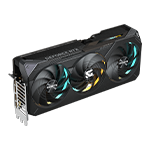
Step 2 — Choose the Best GPU for Racing Games
Your GPU handles:
- Graphics rendering
- Ray tracing
- High refresh rates
- Triple monitor setups
- Ultrawide gaming
Modern sim racing games look incredible at:
- 1440p ultra settings
- 4K ultra settings
- Triple-screen racing setups
🟢 Best GPU for 1440p Sim Racing
NVIDIA GeForce RTX 5070
The RTX 5070 is excellent for:
✔ Smooth 1440p racing
✔ High FPS gameplay
✔ Ultrawide monitor support
✔ DLSS + frame generation
Recommended GPUs at Vektra
🔹 Inno3D GeForce RTX 5070 12GB X3 OC
🔹 ZOTAC Gaming GeForce RTX 5070 Twin Edge 12GB
🔵 Best Balanced GPU for High-End Sim Racing
NVIDIA GeForce RTX 5070 Ti
The RTX 5070 Ti is the sweet spot for:
✔ Triple monitor gaming
✔ Ultra settings
✔ Stable FPS during heavy races
✔ Better ray tracing performance
Recommended GPUs at Vektra
🔹 ZOTAC Gaming GeForce RTX 5070 Ti Solid SFF OC
👉 ZOTAC RTX 5070 Ti Solid SFF OC
🔹 Inno3D GeForce RTX 5070 Ti 16GB X3
🔥 Best GPU for 4K Sim Racing
NVIDIA GeForce RTX 5080
For players wanting:
- Triple 4K displays
- Maximum realism
- Ray tracing immersion
- Ultra settings racing
the RTX 5080 is the ultimate sim racing GPU.
Recommended GPU at Vektra
🔹 Inno3D GeForce RTX 5080 16GB X3
Step 3 — RAM Matters More Than Most People Think
Sim racing games constantly stream:
- Track data
- Physics calculations
- Car telemetry
- Environment assets
That’s why modern sim racing PCs should use:
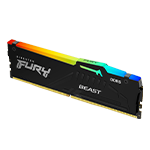
✔ 32GB DDR5 RAM minimum
This helps:
- Reduce stuttering
- Improve multitasking
- Maintain smoother gameplay
Especially when:
- streaming gameplay
- running Discord
- using telemetry apps
- racing online
Step 4 — Fast Storage Improves Load Times
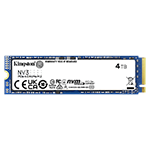
NVMe Gen4 SSDs help with:
✔ Faster game loading
✔ Faster asset streaming
✔ Reduced texture pop-in
✔ Better open-world performance
For modern sim racing setups:
✔ 1TB SSD minimum recommended
✔ 2TB preferred for large game libraries
Step 5 — Choose the Right Monitor Setup
Your display changes the entire racing experience.
Single Monitor Setup
Best for:
✔ Smaller setups
✔ Competitive simplicity
✔ Budget builds
Recommended:
- 27” 1440p 165Hz monitor
Ultrawide Setup
Best for:
✔ Better immersion
✔ Wider field of view
✔ Cleaner setup
Recommended:
- 34” ultrawide 144Hz+
Triple Monitor Setup
Best for:
✔ Maximum realism
✔ Competitive awareness
✔ True sim racing immersion
Requires:
✔ Powerful GPU
✔ Stable CPU performance
✔ Higher VRAM capacity
Step 6 — Cooling & Airflow Matter
Long sim racing sessions keep your system under heavy load for hours.
Good airflow helps:
✔ Maintain stable FPS
✔ Reduce thermal throttling
✔ Improve long-term hardware lifespan
That’s why balanced cooling is critical for sim racing PCs.
Best Vektra PCs for Sim Racing in 2026
🟢 Vektra NOVA 5 — Best Value Sim Racing PC
Perfect for:
✔ 1440p sim racing
✔ High FPS gameplay
✔ Budget-friendly setups
🔵 Vektra NOVA 7 MAX — Best Balanced Sim Racing PC
Perfect for:
✔ Triple monitor setups
✔ Competitive racing
✔ Ultra 1440p gaming
🟣 Vektra NOVA 9 — Ultimate 4K Sim Racing Beast
Perfect for:
✔ 4K ultra racing
✔ Ray tracing immersion
✔ High-end sim rigs
🏁 Final Thoughts
The perfect sim racing setup is about balance — not just raw power.
A great sim racing PC combines:
✔ Strong CPU performance
✔ Powerful GPU rendering
✔ Stable RAM configuration
✔ Fast storage
✔ Proper cooling
Whether you’re building a competitive iRacing setup or an ultra-immersive Forza Horizon 6 rig, the right hardware completely changes the experience.
👉 Explore Vektra gaming PCs and racing-ready hardware here:
Vektra Gaming PCs
💬 What’s your dream sim racing setup?
Single monitor competitive build?
Ultrawide immersion?
Or full triple-screen racing rig?