


Gaming PC vs Workstation: What's the Difference?
If you're shopping for a new desktop PC, you've probably come across two common categories: Gaming PCs and Workstations.
At first glance, they can look very similar. Both often feature powerful processors, dedicated graphics cards, fast SSD storage, and modern DDR5 memory.
This leads many buyers to ask:
"What's the difference between a gaming PC and a workstation?"
The answer depends entirely on what you plan to do with your system.
While gaming PCs are optimized for high frame rates and immersive gameplay, workstations are designed for professional applications, content creation, rendering, engineering, AI development, and demanding productivity workloads.
Understanding the difference can help you invest in the right system and avoid paying for performance you may never use.
What Is a Gaming PC?
A gaming PC is specifically designed to deliver the best possible gaming experience.
Its primary focus is:
-
High FPS gaming
-
Low latency performance
-
Fast graphics rendering
-
Smooth gameplay
-
Real-time responsiveness
Modern gaming PCs prioritize a balance between CPU and GPU performance to maximize frame rates in popular games such as:
-
Call of Duty
-
Fortnite
-
Counter-Strike 2
-
EA Sports FC
-
Cyberpunk 2077
-
Forza Horizon
Gaming systems are typically optimized for resolutions such as:
-
1080p Full HD
-
1440p QHD
-
4K Ultra HD
The goal is simple: deliver smooth gameplay with excellent visual quality.
👉 Explore Vektra Gaming PCs:
https://www.vektrapc.com/collections/gaming-pc
What Is a Workstation?
A workstation is built for professional productivity rather than gaming.
Workstations are designed to handle demanding applications such as:
-
Adobe Photoshop
-
Adobe Illustrator
-
Blender
-
Autodesk Maya
-
AutoCAD
-
Revit
-
SolidWorks
-
Unreal Engine
-
Unity
-
AI development tools
Instead of focusing solely on FPS, workstations prioritize:
-
Stability
-
Multitasking
-
Rendering performance
-
Large project handling
-
Professional workflows
Many workstation users spend hours processing large files, rendering scenes, training AI models, or working with complex datasets.
As a result, workstation hardware is often selected differently than gaming hardware.
👉 Explore Vektra Professional Workstations:
https://www.vektrapc.com/collections/professional-workstations
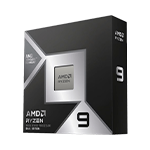
The CPU Difference
For gaming, processors often prioritize:
-
High clock speeds
-
Strong single-core performance
-
Low latency
This helps maximize frame rates in modern games.
Workstations, however, frequently benefit from:
-
More CPU cores
-
More threads
-
Better multitasking capability
Applications like Blender, Maya, and AI development tools can utilize many CPU cores simultaneously, making multi-core performance extremely valuable.
The GPU Difference
One of the biggest misconceptions is that gaming and workstation graphics cards are completely different.
Today, many professional workflows benefit greatly from modern NVIDIA GeForce RTX graphics cards.
For example:
Gaming PCs
Focus on:
-
High FPS
-
Ray tracing
-
DLSS
-
Gaming performance
Workstations
Focus on:
-
GPU rendering
-
AI acceleration
-
3D visualization
-
Creative applications
Cards such as the RTX 5070, RTX 5070 Ti, and RTX 5080 perform exceptionally well in both gaming and professional workloads.
The difference often lies in how the entire system is configured around the GPU.
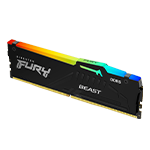
Memory Requirements
Gaming PCs generally perform very well with:
-
16GB DDR5 RAM
-
32GB DDR5 RAM
Most modern games don't require excessive amounts of memory.
Workstations often benefit from:
-
32GB DDR5 RAM
-
64GB DDR5 RAM
-
128GB+ RAM in specialized workloads
This is particularly important when handling:
-
Large Photoshop projects
-
Video editing
-
3D rendering
-
Virtual machines
-
AI development
The more demanding the workload, the more valuable additional memory becomes.
Storage Needs
Storage requirements differ significantly between gamers and professionals.
Gaming PCs
Storage is primarily used for:
-
Games
-
Updates
-
Recorded clips
Many gamers find 1TB–2TB SSD storage sufficient.
Workstations
Storage is often used for:
-
Project files
-
RAW photos
-
Video footage
-
CAD files
-
AI models
-
Render outputs
Professional users typically consume storage much faster than gamers.
Can a Gaming PC Be Used as a Workstation?
In many cases, yes.
Modern gaming PCs are incredibly powerful and can handle many professional applications.
For example:
-
Photoshop
-
Illustrator
-
Lightroom
-
Premiere Pro
-
Basic Blender projects
can run very well on a high-end gaming PC.
However, professionals working with large projects daily often benefit from a workstation designed specifically for productivity and reliability.
Can a Workstation Be Used for Gaming?
Absolutely.
Many modern workstations include powerful RTX graphics cards that can deliver excellent gaming performance.
In fact, many creators choose a workstation because it allows them to:
✔ Work during the day
✔ Create content at night
✔ Game during their free time
This makes a workstation an excellent all-round solution for users with mixed workloads.
Which One Should You Choose?
Choose a Gaming PC if you primarily:
-
Play games
-
Stream gameplay
-
Want maximum FPS
-
Focus on entertainment
Choose a Workstation if you primarily:
-
Create content
-
Render 3D projects
-
Edit photos or videos
-
Develop AI applications
-
Use professional software daily
Choose a Hybrid System if you do both.
Many modern Vektra systems are designed to deliver excellent performance across gaming and professional workloads, making them ideal for creators, developers, and enthusiasts.
Why Choose Vektra?
At Vektra, we build both Gaming PCs and Professional Workstations using carefully selected components from trusted brands.
Whether you need:
-
A high-FPS gaming machine
-
A professional content creation workstation
-
A rendering system
-
An AI development workstation
-
A hybrid gaming and productivity PC
our systems are designed to provide reliable performance and future upgrade flexibility.
👉 Browse Gaming PCs:
https://www.vektrapc.com/collections/gaming-pc
👉 Browse Professional Workstations:
https://www.vektrapc.com/collections/professional-workstations
Final Thoughts
The debate between a gaming PC and a workstation isn't about which one is better—it's about which one is better for your needs.
Gaming PCs prioritize frame rates and responsiveness.
Workstations prioritize productivity, reliability, and professional performance.
The best choice is the one that matches how you actually use your computer.