

How Much GPU Power Do You Need for AI Workloads in 2026?
Artificial Intelligence has moved from research labs into everyday use. From local LLMs (Large Language Models) and machine learning development to AI image generation and automation workflows, more users are now building or upgrading PCs specifically for AI workloads.
But one question keeps coming up:
How much GPU power do you actually need for AI workloads in 2026?
The answer depends on the type of AI work you plan to do—because not all AI tasks require the same level of GPU performance.
In this guide, we’ll break down GPU requirements for AI development, local LLMs, and generative AI workloads, so you can choose the right setup without overspending or underpowering your system.
Why GPU Power Matters for AI Workloads
Unlike traditional software, AI workloads rely heavily on parallel processing, which is where GPUs excel.
A GPU is responsible for:
-
Running AI model inference
-
Training machine learning models
-
Processing large datasets
-
Accelerating generative AI tools
-
Handling tensor and matrix operations
The more powerful your GPU, the faster your AI tasks run—and in some cases, the larger models you can run locally.
Modern AI workflows are increasingly GPU-dependent, especially for:
-
Local LLMs (like Llama-based models)
-
AI image generation tools
-
Stable Diffusion workflows
-
AI video processing
-
Deep learning experimentation
The Most Important GPU Factor: VRAM
When it comes to AI workloads, VRAM (Video Memory) matters more than raw gaming performance.
VRAM determines:
-
The size of AI models you can load
-
How stable your inference runs
-
Whether you can multitask AI applications
-
Dataset capacity during processing
General VRAM Guidelines for AI in 2026:
-
8GB VRAM → Entry-level AI tasks, small models
-
12GB VRAM → Moderate AI workloads, light LLM usage
-
16GB VRAM → Serious AI development, stable local LLM performance
-
24GB+ VRAM → Professional AI training and large-scale models
For most users building AI PCs today, 12GB–16GB VRAM is the practical sweet spot.
Entry-Level AI Workloads (Light GPU Requirements)
If you're just getting started with AI, you don’t need an extreme GPU.
Typical workloads include:
-
Running small AI models
-
Basic machine learning projects
-
AI chat tools
-
Light image generation
-
Learning and experimentation
Recommended GPU Range:
-
RTX 3060 / RTX 4060 class
-
8GB–12GB VRAM
These GPUs are ideal for beginners, students, and hobbyists exploring AI development without heavy model training.
Mid-Range AI Workloads (Most Users)
This is where most AI developers and creators fall.
Workloads include:
-
Local LLM inference (smaller quantized models)
-
Stable Diffusion image generation
-
AI-assisted coding tools
-
Data processing workflows
-
Multi-application AI environments
Recommended GPU Range:
-
RTX 4070 / RTX 5070 class
-
12GB–16GB VRAM
This tier offers the best balance between performance, efficiency, and cost.
It’s powerful enough for serious AI work while still being suitable for gaming and creative workloads.
High-End AI Workloads (Professional Level)
If you're working with large models or training AI systems, GPU power becomes critical.
Workloads include:
-
Training machine learning models
-
Running large local LLMs
-
Fine-tuning AI models
-
High-resolution AI video generation
-
Advanced research and development
Recommended GPU Range:
-
RTX 5070 Ti / RTX 5080 class
-
16GB+ VRAM (or higher)
At this level, GPU performance directly impacts productivity. Faster GPUs significantly reduce model processing time and improve experimentation speed.
Can Gaming GPUs Handle AI Workloads?
Yes—and this is one of the biggest shifts in 2026.
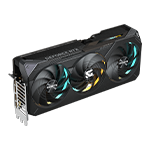
Modern NVIDIA RTX GPUs are extremely capable for AI because they include:
-
Tensor cores (AI acceleration)
-
CUDA support
-
High VRAM bandwidth
-
Optimized AI libraries
This means gaming GPUs like the RTX 5070, 5070 Ti, and 5080 are widely used for:
-
AI development
-
Local LLM execution
-
Content creation
-
Machine learning workflows
For most users, a high-end gaming GPU is more than enough for AI workloads unless you are training large-scale models professionally.
CPU vs GPU in AI Workloads
While the GPU does most of the heavy lifting, the CPU still matters.
A strong CPU helps with:
-
Data preprocessing
-
Running development environments
-
Multi-tasking
-
Feeding data to the GPU efficiently
However, in AI workloads, the GPU is the main performance driver, especially for inference and training.
How Much GPU Power Do You Really Need?
Here’s a simple breakdown:
-
Beginner AI users → 8GB–12GB VRAM GPU
-
AI developers & creators → 12GB–16GB VRAM GPU
-
Advanced AI professionals → 16GB+ VRAM GPU
-
Research / heavy training → 24GB+ VRAM GPU
For most users in 2026, a mid-range RTX 5070-class GPU offers the best balance of performance and value.
Choosing the Right AI Workstation
At Vektra, AI-ready systems are designed to handle modern workloads efficiently without unnecessary complexity.
Whether you're working with:
-
Local LLMs
-
AI content generation
-
Machine learning workflows
-
Creative AI tools
your system needs a balanced combination of:
-
Strong GPU performance
-
Fast DDR5 memory
-
NVMe storage
-
Stable cooling
-
Reliable motherboard platform
👉 Explore AI-ready workstations:
https://www.vektrapc.com/collections/professional-workstations
Final Thoughts
The GPU is the most important component in any AI-focused PC build in 2026.
However, more power doesn’t always mean better results—what matters most is choosing the right VRAM and performance tier for your specific workload.
For most users, a modern RTX 5070 or RTX 5070 Ti class GPU provides more than enough power for AI development, local LLMs, and generative AI tools.
As AI continues to evolve, GPU demand will only increase—but so will efficiency and optimization.