
How Much RAM Do You Need for Gaming, Streaming and Content Creation?
When building or upgrading a PC, one of the most common questions is: How much RAM do I actually need? Is 16GB enough for gaming, should you upgrade to 32GB, or do professional applications require 64GB?
The answer depends on how you use your computer. Gaming, streaming, video editing, 3D rendering, and everyday multitasking all have different memory requirements.
In this guide, we explain 16GB vs 32GB vs 64GB RAM, how memory affects PC performance, and how to choose the right capacity for your setup.
What Does RAM Actually Do?
Random Access Memory (RAM) temporarily stores the data your CPU and applications need while running.
Unlike an SSD, which stores files permanently, RAM provides fast access to active programs, game assets, browser tabs, and background processes.
When your system runs out of available RAM, it may rely more heavily on storage-based virtual memory, potentially causing slower loading, stuttering, and reduced responsiveness.
Having enough RAM is therefore essential for smooth gaming and multitasking. However, installing more RAM than your applications need does not automatically increase FPS.
Is 16GB RAM Enough for Gaming in 2026?
For many gamers, 16GB RAM is still a usable starting point, particularly for esports titles and less demanding games.
Games such as Valorant, Counter-Strike 2, and League of Legends can run well on systems with 16GB of memory, provided the rest of the hardware meets their requirements.
However, newer AAA games, background applications, and demanding graphics settings can increase overall memory usage.
If you regularly keep Discord, browsers, game launchers, and other programs running while gaming, 16GB may become restrictive.
For a new gaming PC intended to handle demanding titles over several years, 32GB is increasingly worth considering.
16GB vs 32GB RAM: Which Is Better for Gaming?
For most new mid-range and high-performance gaming PCs, 32GB RAM is a practical recommendation.
It provides additional capacity for demanding games, background applications, and multitasking without requiring users to move immediately to 64GB.
Here is how common RAM capacities compare:
| RAM Capacity | Recommended Use |
|---|---|
| 16GB | Esports, everyday gaming, general computing |
| 32GB | Modern AAA gaming, streaming, multitasking |
| 64GB | Professional video editing, large creative projects, demanding 3D workloads |
| 128GB+ | Specialized production, simulations, large datasets, advanced workstations |
While 32GB can improve smoothness when 16GB is insufficient, it will not necessarily increase average FPS in games that already fit comfortably within 16GB.
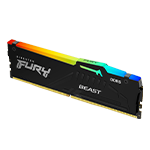
Explore Kingston RAM and memory options at Vektra PC.
How Much RAM Do You Need for Streaming?
Streaming requires your PC to handle several processes simultaneously.
You may be running a game, OBS Studio, Discord, browser tabs, streaming overlays, and recording software at the same time.
For a basic streaming setup, 16GB may work, especially when using GPU-based video encoding.
However, 32GB RAM is a better starting point for gaming and streaming together, providing additional capacity for background applications.
If you also edit recorded gameplay, create highlight videos, or regularly work with multiple applications, the additional memory becomes even more useful.
Remember that streaming performance also depends on your CPU, GPU, encoder settings, and internet connection.
How Much RAM for Video Editing and Content Creation?
Content creation can require considerably more RAM than everyday gaming.
For applications such as Adobe Premiere Pro, DaVinci Resolve, Photoshop, and After Effects, memory requirements depend on project resolution, complexity, effects, and the number of applications running.
As a general starting point:
-
16GB: Basic photo editing and lighter creative projects.
-
32GB: Many 1080p and 4K editing workflows, Photoshop, and general content creation.
-
64GB: Larger 4K projects, demanding effects, complex timelines, and heavy multitasking.
-
128GB or more: Specialized high-resolution workflows and very large professional projects.
For example, Vektra's Video Editing Workstation for Adobe Premiere Pro and DaVinci Resolve includes 32GB DDR5 memory, making it a useful starting configuration for many editing workloads.
How Much RAM for 3D Rendering and Workstations?
Professional software such as Blender, Maya, Autodesk Revit, and CAD applications can benefit from higher memory capacity, especially when working with large scenes and complex projects.
For lighter 3D modeling, 32GB may be sufficient.
For demanding architectural models, simulations, detailed scenes, and professional rendering workflows, 64GB or more may be appropriate.
Vektra's 3D Animation & Rendering Workstation for Maya, Blender and Unity features 32GB DDR5 RAM alongside an RTX 5070 Ti 16GB graphics card.
For larger workloads, evaluate the software's recommended memory requirements and whether additional capacity is necessary.
Does DDR5 RAM Speed Matter?
RAM capacity is important, but memory speed and latency also affect performance.
DDR5 memory offers higher transfer rates than DDR4, although real-world improvements depend on the CPU, motherboard, memory configuration, and application.
For example, DDR5-5600 and DDR5-6000 are common memory speeds in modern gaming PC configurations.
However, faster RAM is not always better if it requires sacrificing capacity or compatibility.
Also consider whether your system uses one or two memory modules, as memory-channel configuration can influence performance.
Should You Upgrade Your RAM?
If your PC frequently approaches its available memory limit, upgrading RAM can help improve responsiveness and reduce memory-related slowdowns.
Before upgrading, check your motherboard's supported memory type, maximum capacity, available slots, and CPU compatibility.
For most users building a new gaming and streaming PC in 2026, 32GB DDR5 RAM offers a sensible balance of capacity and performance. Content creators handling larger projects may benefit from 64GB or more.
Explore RAM and memory upgrades at Vektra PC, or browse our Gaming PCs and Professional Workstations to find a configuration that matches your needs.
Shop now at www.vektrapc.com.